
The preset library
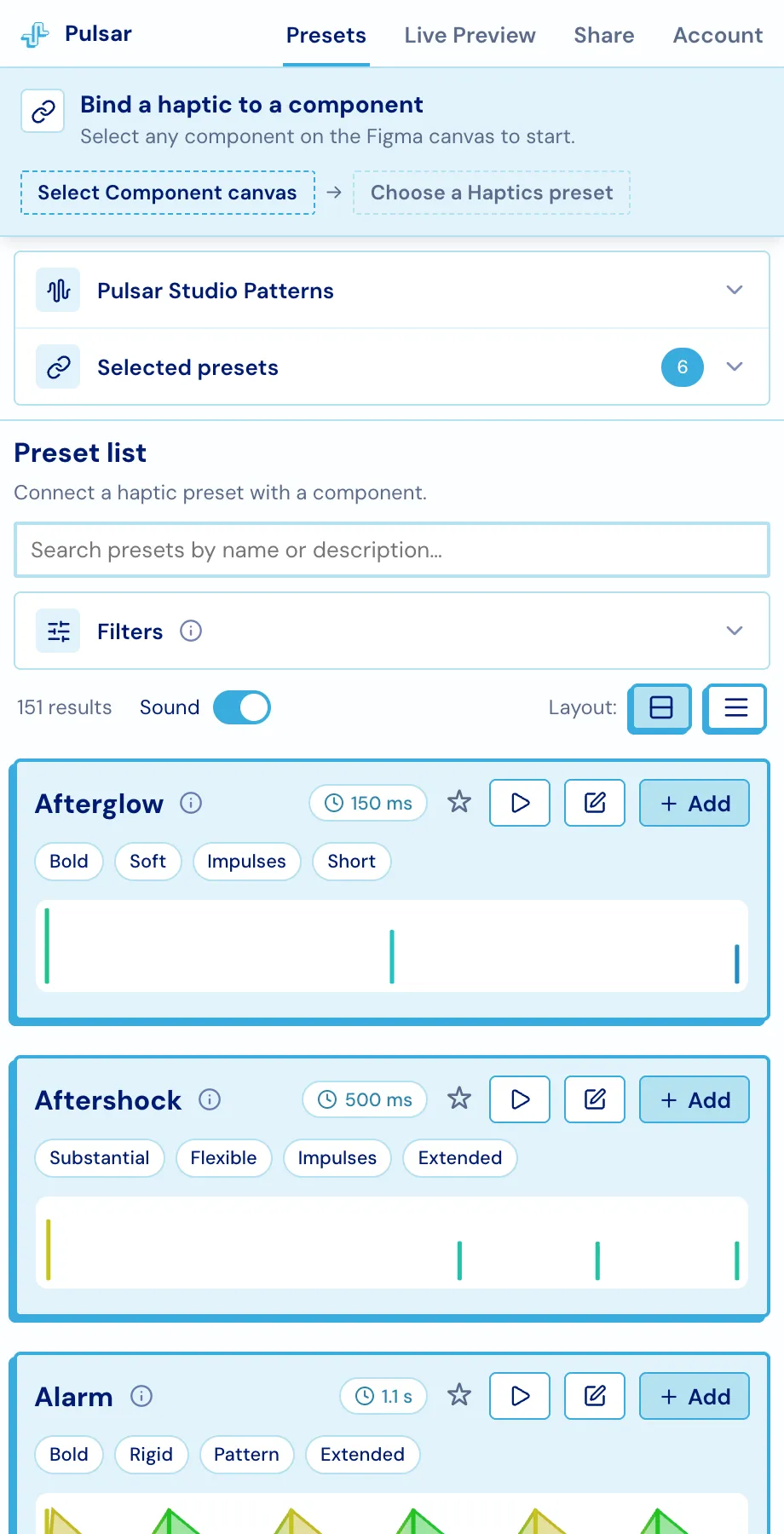
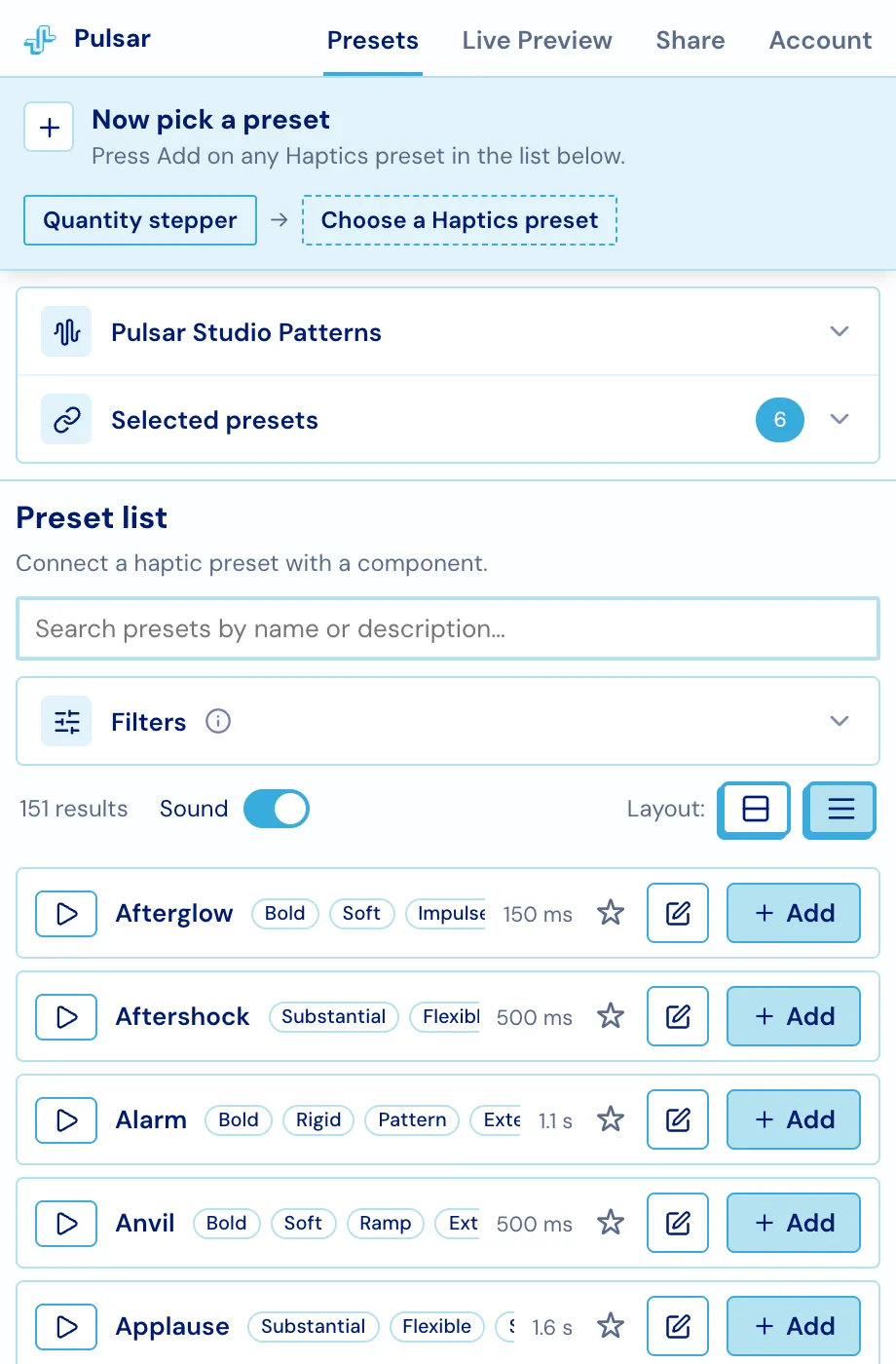
The Presets tab carries 206 haptics: 151 designed Pulsar presets plus the 55 platform built-ins (9 iOS, 46 Android). Each card shows the pattern’s shape, its duration and its tags, and every one of them plays.
Playing a preset
Section titled “Playing a preset”The ▷ Play button renders the pattern as audio inside Figma - there is no vibration API in a plugin window, so sound is what you get while editing. Pair a phone and the same button also fires the real haptic on the device, which is the only honest way to choose one. See Live preview.
The Sound switch above the list controls something different: whether selecting an already-bound layer on the canvas replays its haptic automatically.
Finding the right one
Section titled “Finding the right one”Search matches a preset’s name and its description. Filters narrow the list by tag, and the count beside the header shows how many are active.
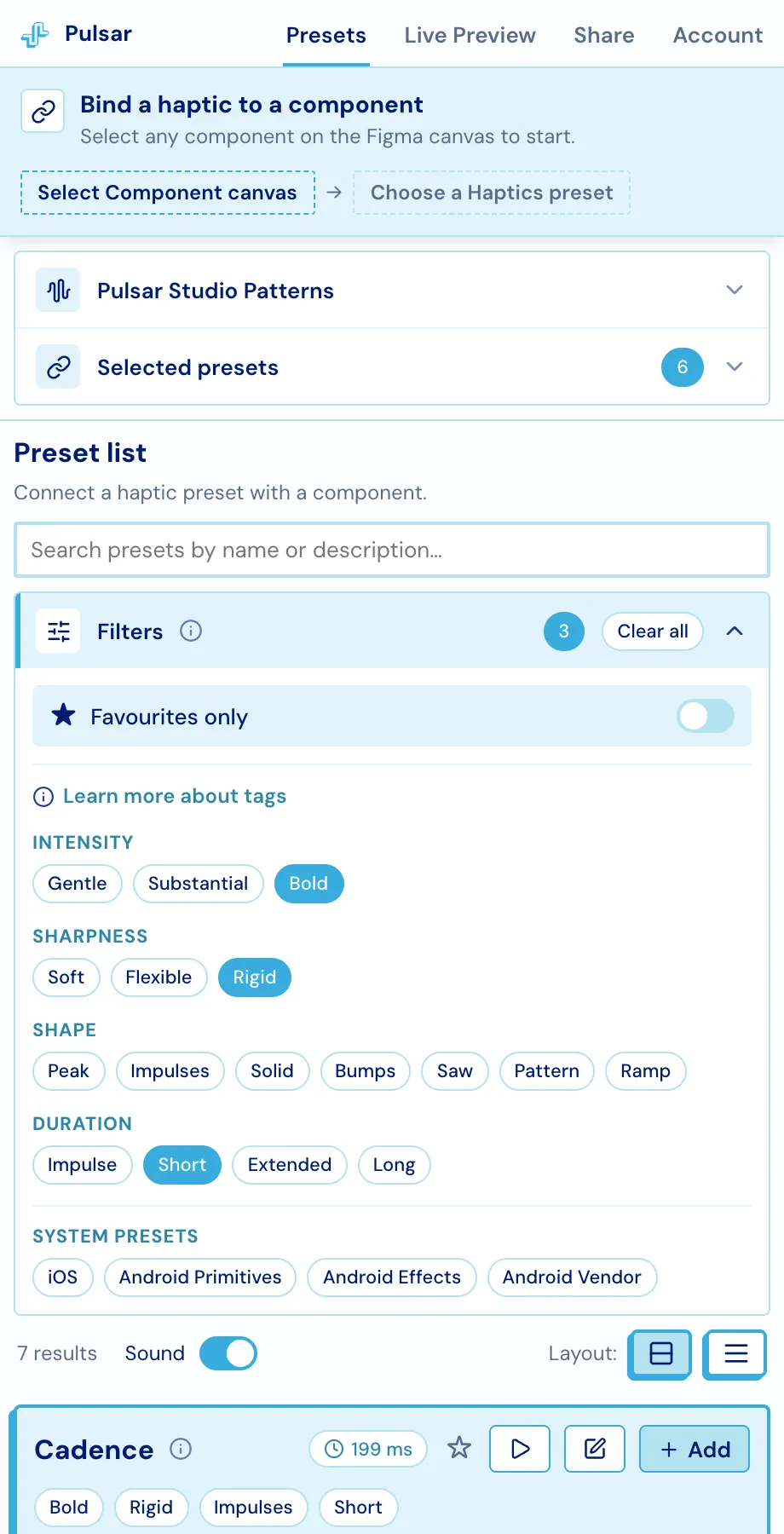
Tags describe a haptic along four dimensions:
| Group | Tags |
|---|---|
| Intensity | Gentle · Substantial · Bold |
| Sharpness | Soft · Flexible · Rigid |
| Shape | Peak · Impulses · Solid · Bumps · Saw · Pattern · Ramp |
| Duration | Impulse · Short · Extended · Long |
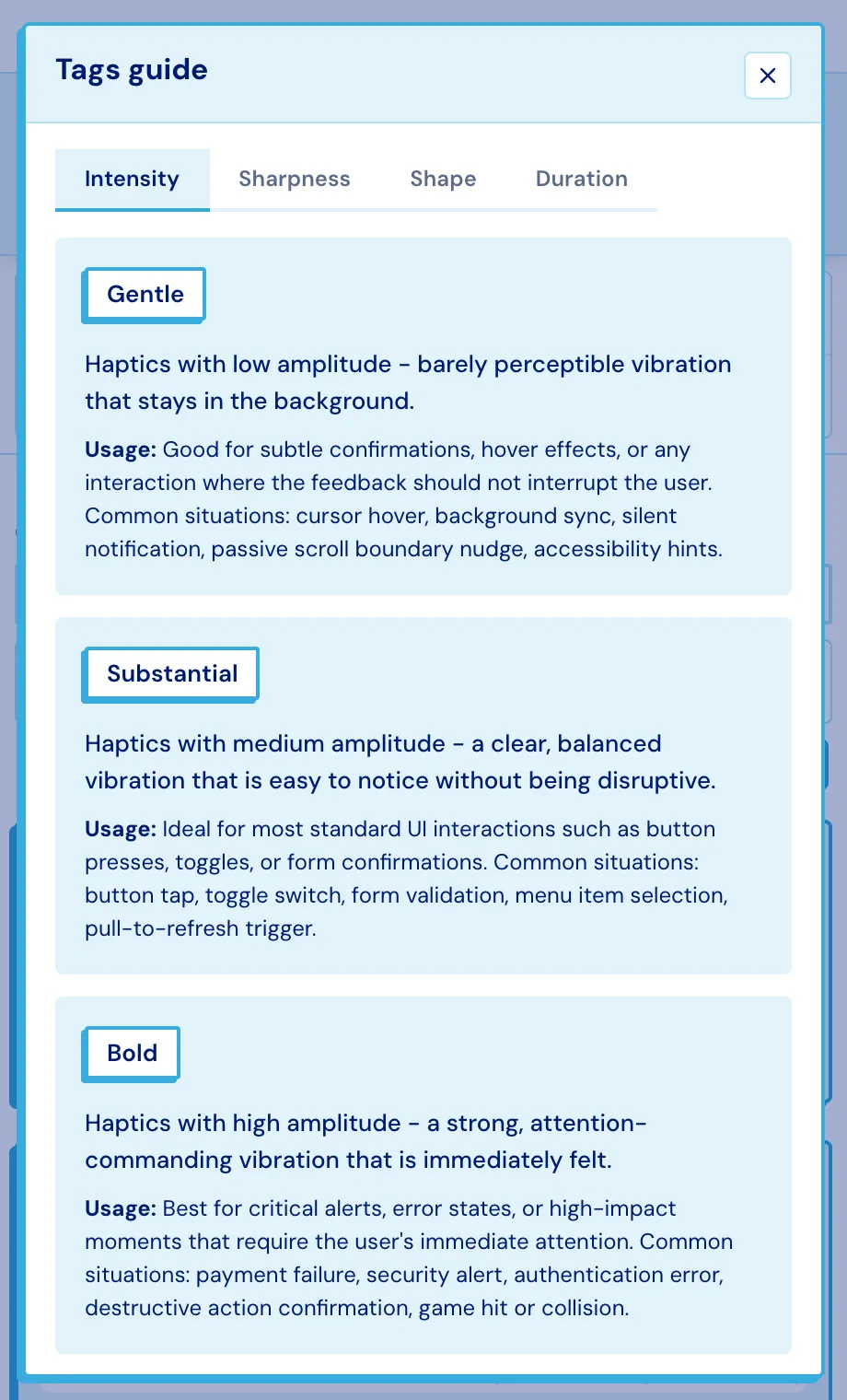
Learn more about tags opens a guide with what each tag means and the situations it suits.
The ★ on any card adds it to your favourites, and Favourites only in the filters cuts the list to those.
Platform built-ins
Section titled “Platform built-ins”The System presets filters swap the list over to the vibrations the OS itself provides - iOS, or Android Primitives, Effects and Vendor effects. These are addressed by name on the device rather than composed from a pattern, so they have no waveform to draw and can’t be opened in Studio.
Two layouts
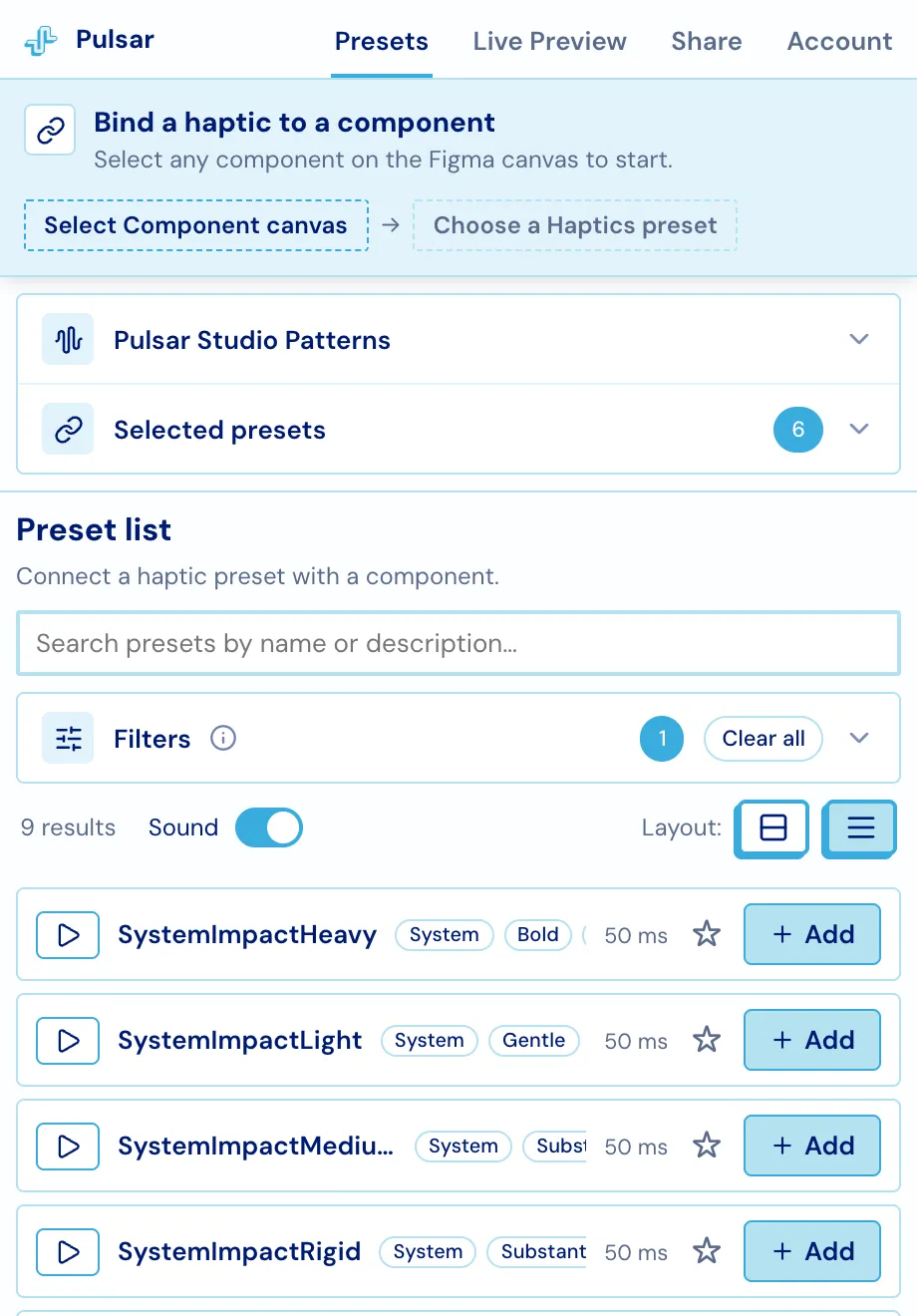
Section titled “Two layouts”The Layout buttons switch between full cards and compact rows. Compact strips the waveform and fits roughly three times as many presets on screen, which is what you want once you know the library.
Preset details
Section titled “Preset details”The ⓘ icon on a card opens the full view: tags, the waveform, the description, and a copy-pastable snippet for six SDKs - Swift, Android, Kotlin Multiplatform, React Native, Flutter and Web. Raw pattern data expands the underlying JSON.
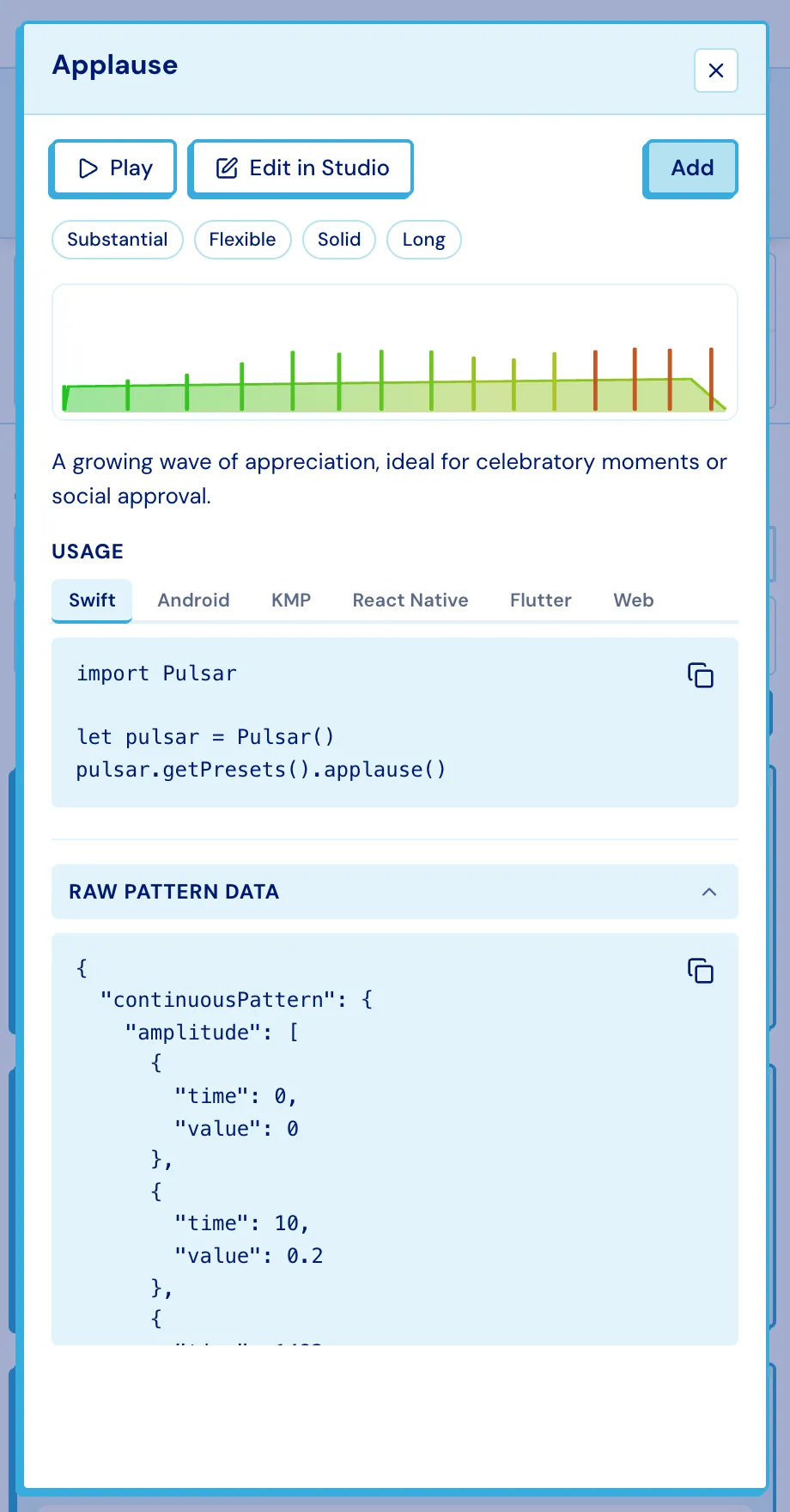
Edit in Studio opens the pattern in Pulsar Studio, the visual editor where haptics are drawn - see Your own patterns.