
Pulsar Studio
Pulsar Studio is a web app for designing haptic patterns. You draw a buzz on a timeline, feel it on a real phone while you edit, and export it into your app through the Pulsar SDK.
What a pattern is
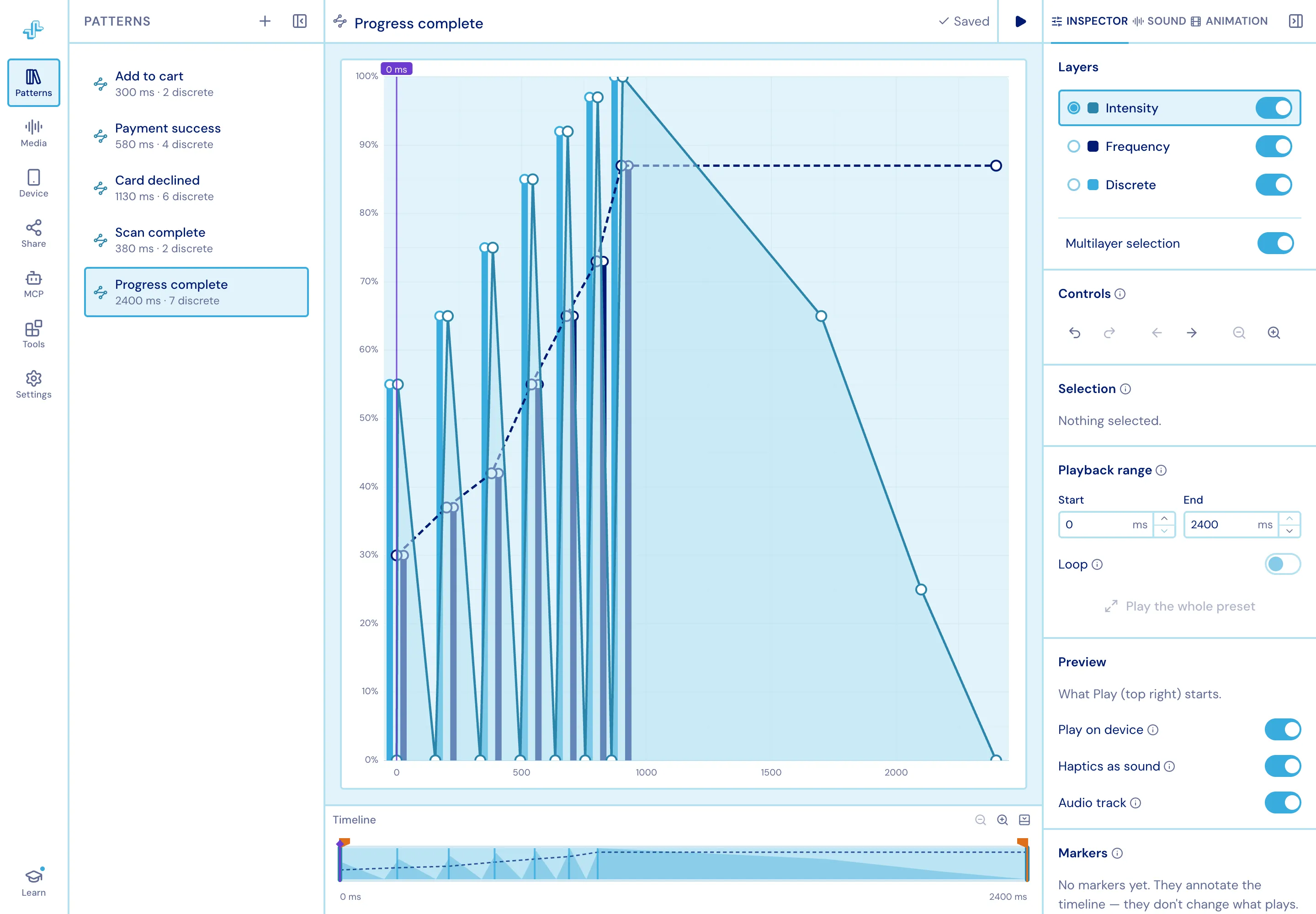
Section titled “What a pattern is”A pattern is three parallel layers over the same span of time:
| Layer | What it controls |
|---|---|
| Intensity | How hard the vibration is at each moment - a continuous envelope |
| Frequency | How sharp or dull it feels - a continuous envelope (“sharpness” in Apple’s terms) |
| Discrete | Individual taps - a single, instantaneous click at one point in time |
Values are shown as percentages and stored as 0–1, which is what the SDK expects. Time is milliseconds throughout. A pattern’s duration is derived from its content: the last point or tap defines the end.
Where patterns live
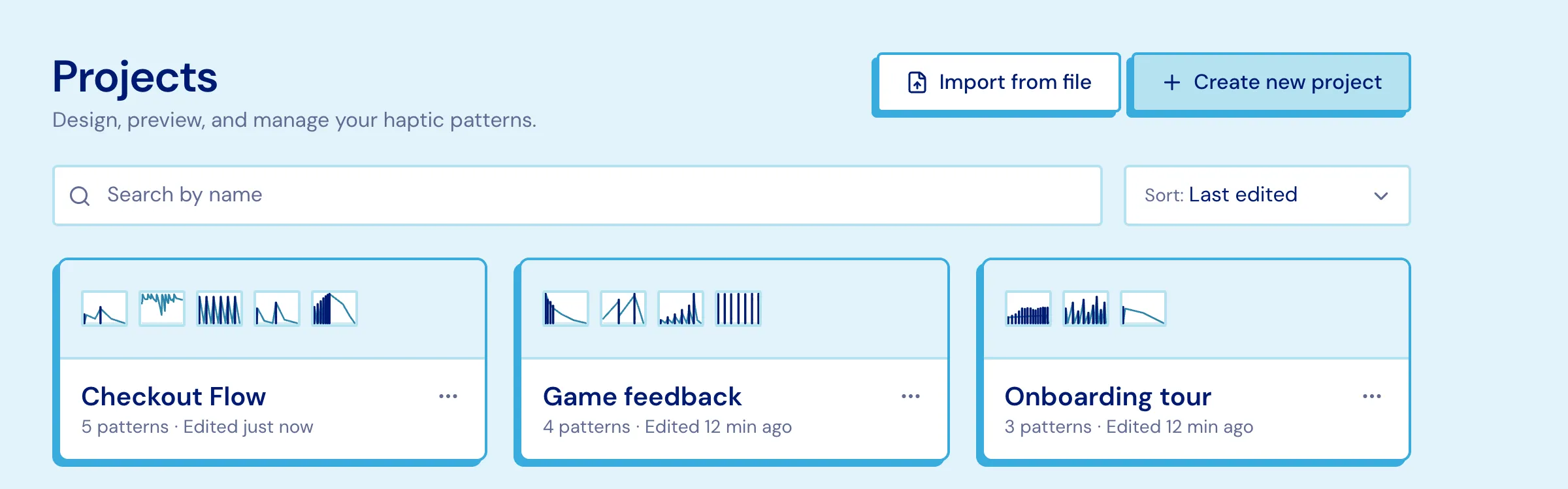
Section titled “Where patterns live”A project holds many patterns plus the audio and animation files uploaded to it. The dashboard lists your projects as cards with a strip of pattern thumbnails - drag a thumbnail from one card onto another to copy that pattern across, without opening either.
Getting started
Section titled “Getting started”Studio greets you the first time you open the editor with four walkthroughs. They run over the live app, opening the panels they describe as they go, and change nothing in your pattern.
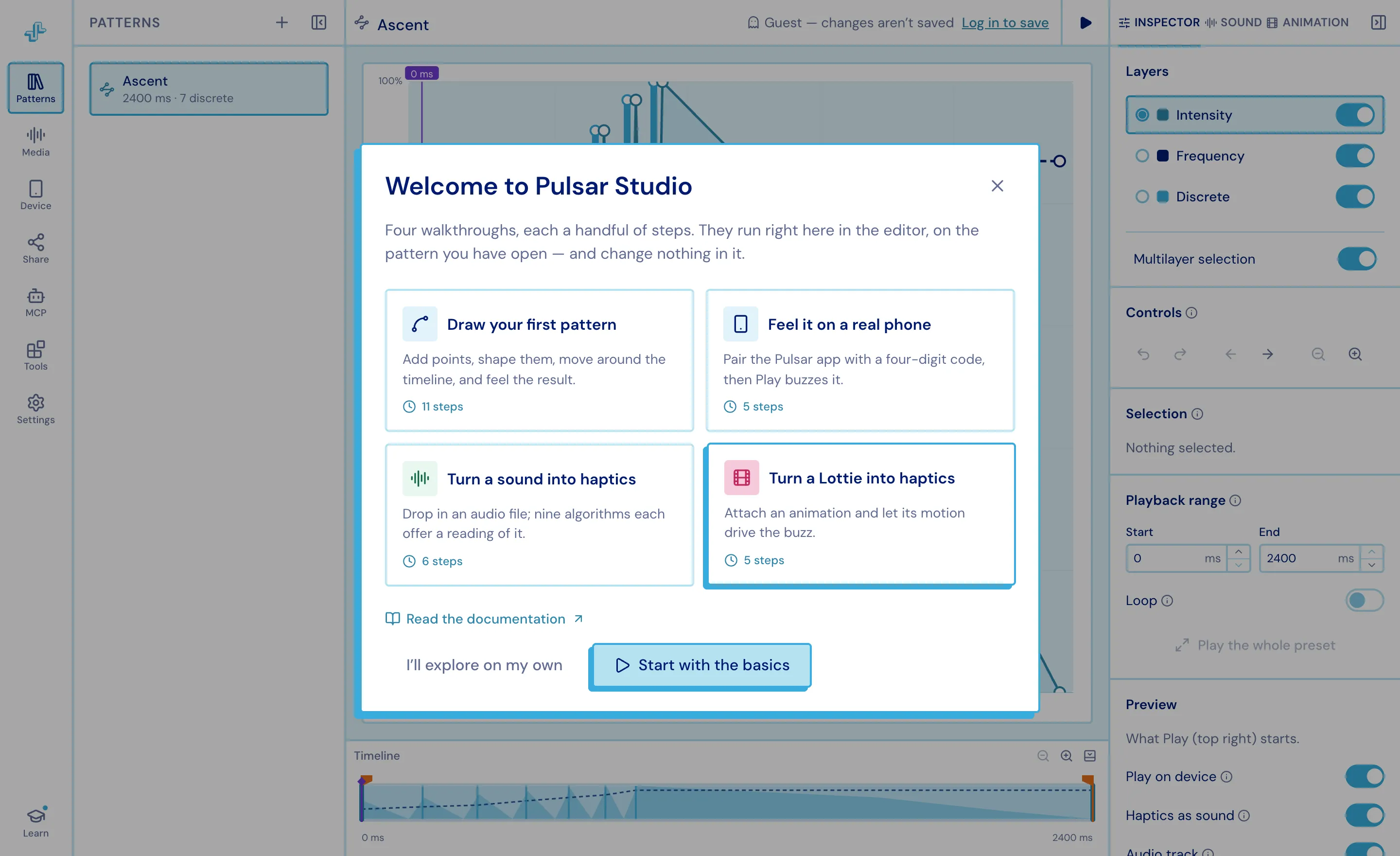
- Draw your first pattern - adding and moving points, the three layers, getting around the chart, the timeline, and what Play does. The long one, and the one to take first.
- Feel it on a real phone - pairing, and what the row switch changes.
- Turn a sound into haptics - attaching audio and picking a generated approach.
- Turn a Lottie into haptics - the same for animation.
Leave one at any point (Escape, the X, or a click outside) and pick it up later: Learn at the foot of the editor’s left rail, the Help section in the editor’s Settings panel, or Help & learning on the Settings page.