Media
Audio and Lottie animations are uploaded per project and attached per pattern.
Getting files in
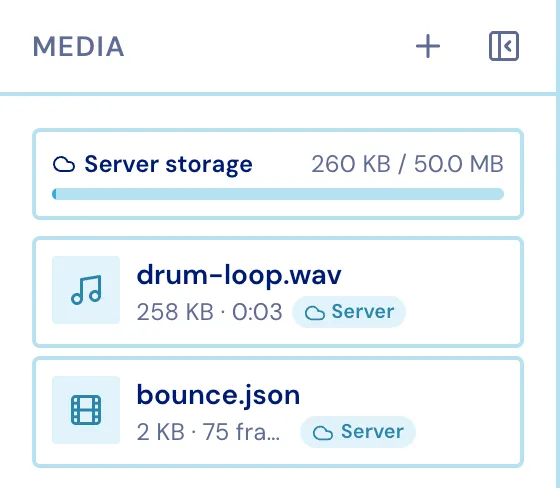
Section titled “Getting files in”- Drop files onto the Media column, or straight onto the chart - a drop on the chart also attaches them.
- Type is decided by the file’s content, not its extension.
- Audio: MP3 and WAV. Animation:
.jsonor.lottie. - 50 MB per account, with a smaller per-file ceiling; the usage bar at the top of the panel shows where you stand. A file that would push you over is kept in this browser instead, and its card says so.
Each card’s context menu has Add to canvas, Play, Move to browser storage / Upload to cloud, Download, Rename and Delete.
Attaching
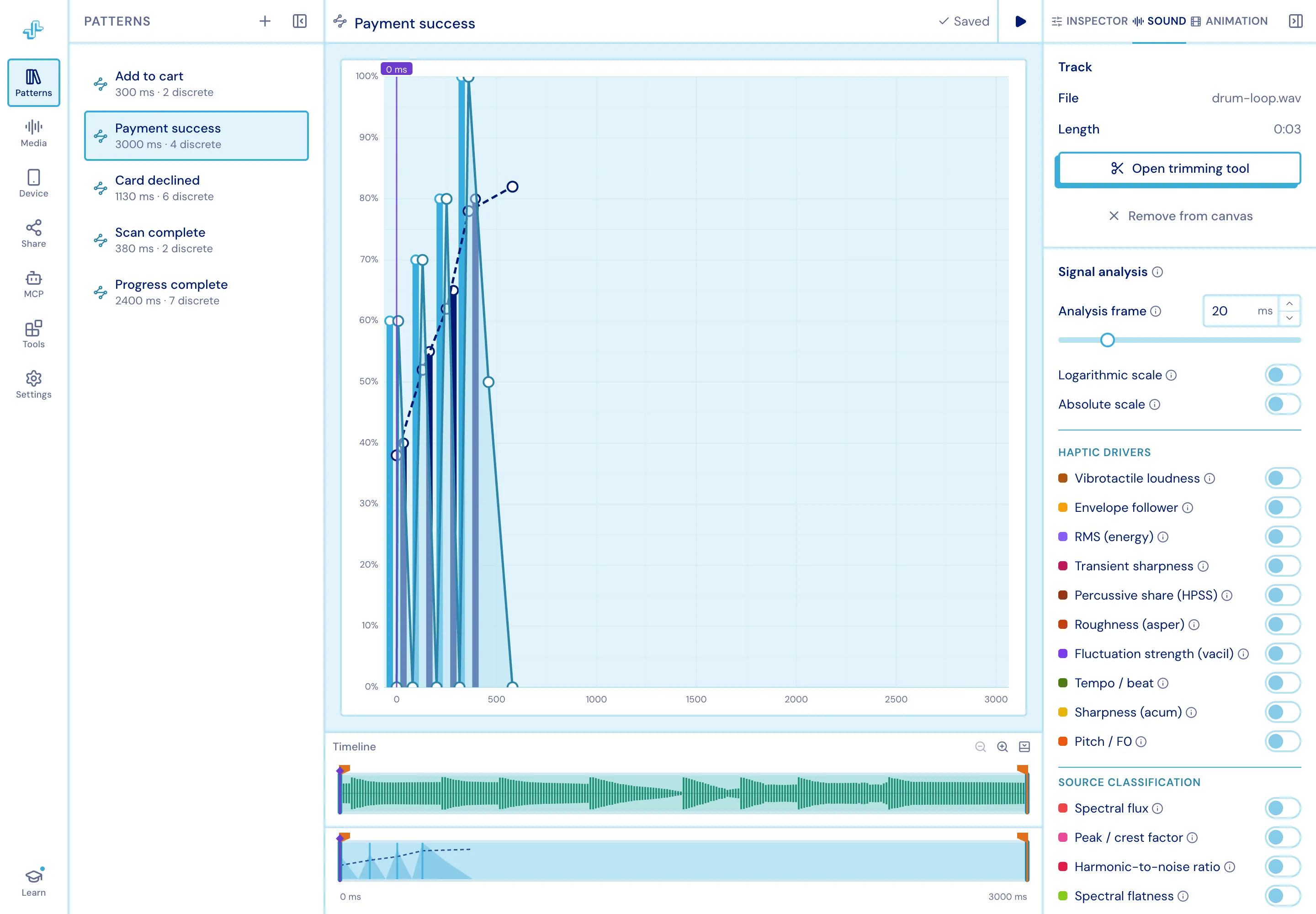
Section titled “Attaching”Attaching binds a file to the pattern you have open and raises the matching lane under the chart and the matching inspector tab. Detaching drops back to the Inspector tab.
An attached track floors the pattern’s duration, and its waveform is drawn in the audio lane so you can line taps up with what you hear.
Trimming
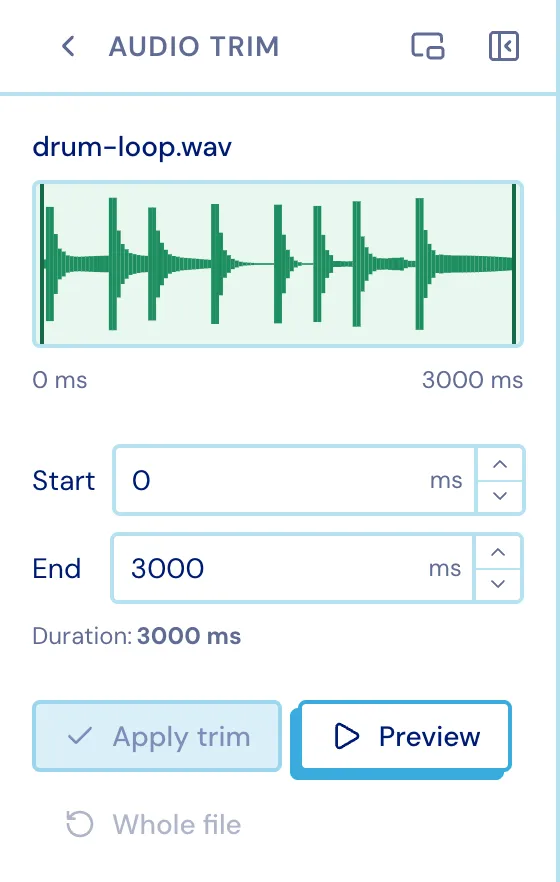
Section titled “Trimming”Tools ▸ Audio Trim picks which stretch of a track the timeline uses. Set a start and end, preview it, and apply.